Asset confirmation
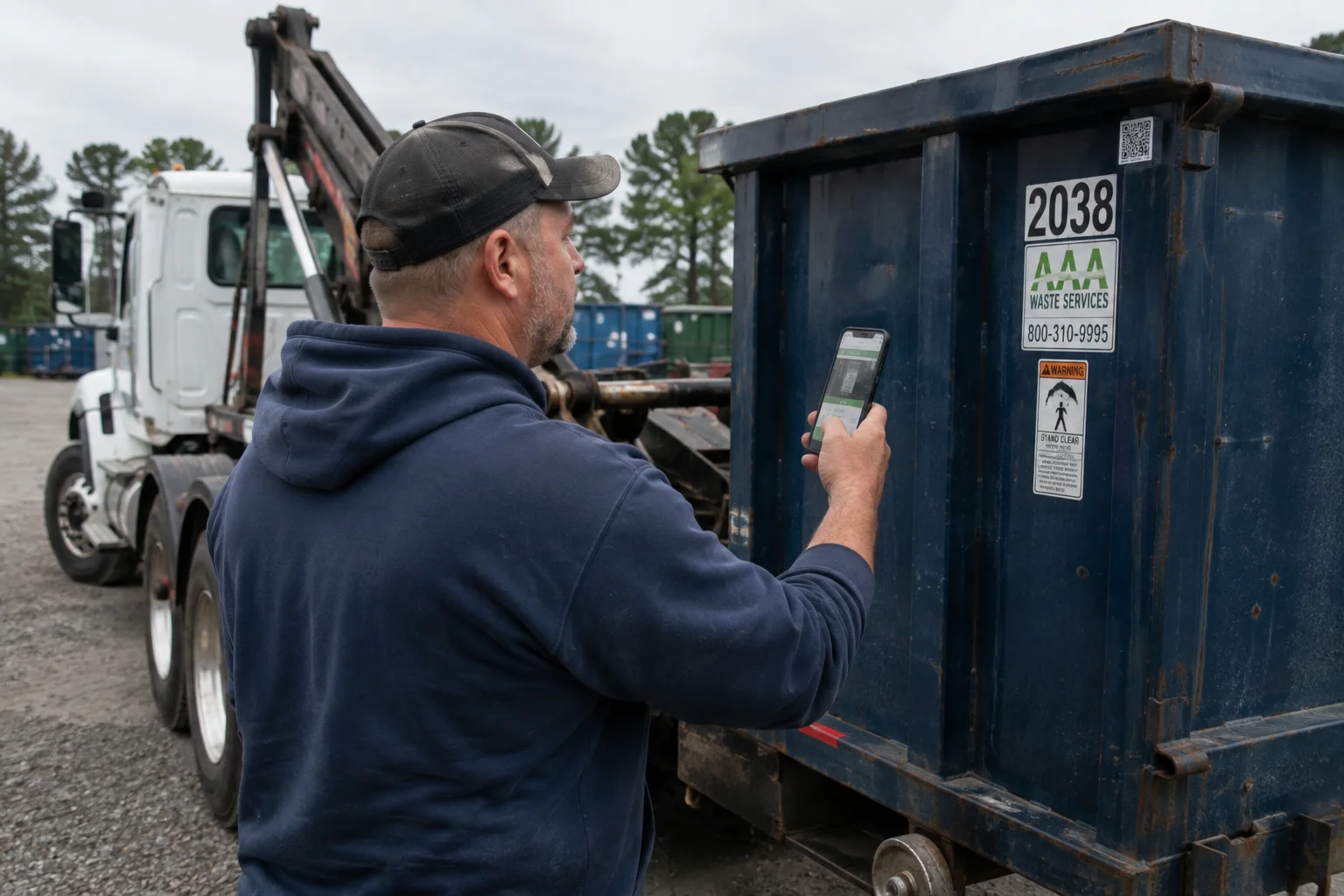
Scan the expected QR or barcode, with a short manual PIN fallback and an explicit mismatch path.

Driver app
The driver experience starts with a simple truth: the jobsite and transfer station do not care whether the phone has service.
The current service day and next published service day stay available through an encrypted, durable offline workflow.
20 yd · Container C-184
A focused stop workflow
Large targets, clear status, and the minimum job context help a driver move through the stop without navigating office software.
Review the assignment and confirm the stop is on your route.
Signal that you are moving so dispatch can follow progress.
Mark your arrival and bring access and placement notes forward.
Begin the work and follow the proof requirements for this job type.
Capture the required evidence or record the exception before moving on.
Evidence engine
Requirements can change by job type, so the app asks for the right proof instead of relying on memory at the end of the day.
Scan the expected QR or barcode, with a short manual PIN fallback and an explicit mismatch path.
Placement, condition, damage, contamination, and blocked-access evidence remain connected to the job.
Collect a signature when the agreement or job requires it and retain the context around acceptance.
Capture the original ticket offline. Assisted extraction begins after reconnect and remains subject to human review.
A visible timer records start, pause, and stop events through process interruption.
Partial jobs, failed access, damage, rejected loads, and missing evidence take a named recovery path.
Offline by design
The daily route, stop details, access notes, and evidence requirements are designed to be downloaded before the driver needs them.
Safe field decisions
The app preserves performed work and evidence while keeping commercial, custody, and authorization conflicts visible to the office.
Published changes carry a new revision. The driver acknowledges the current route, while stale or conflicting work returns to dispatch for resolution.
COD stops show paid, unpaid, or stale status. Completion waits for a verified hosted payment or an audited office release; drivers never handle card or bank credentials.
Masked call and text actions keep the customer and driver connected without exposing either party’s personal number.
Damage, accidents, blocked access, contamination, facility rejection, and partial or failed work retain evidence and open the appropriate recovery path.
An enrolled driver session uses encrypted local storage, PIN or biometric unlock, a bounded offline lease, and remote revocation without deleting queued evidence.
Foreground job location supports dispatch and evidence. History is access-controlled, and off-shift tracking is not part of the workflow.
See the field workflow
A useful demo includes the person using the route in bright sun, bad weather, dirty gloves, and weak service.